


Mobile Passport Control
4.93.01K Reviews
App Specs
- Version
- 4.7.1
- Updated On
- License
- Free
- Downloads
- 1,000,000+
- Developer
- U.S. Customs and Border Protection
- Categories
- Travel & Local
- Platform
- Android, iOS
Screenshots
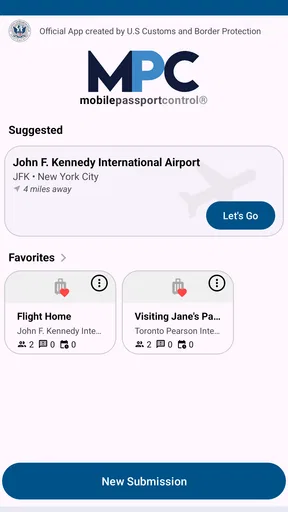
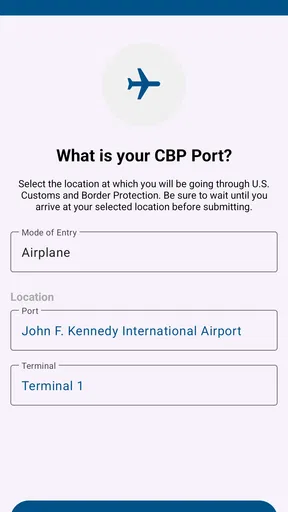
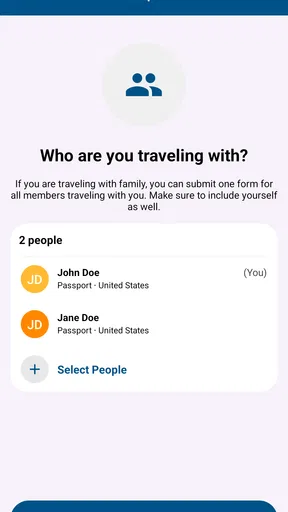
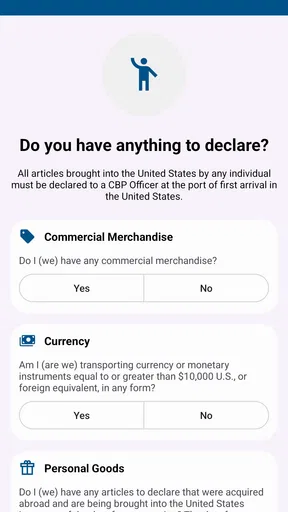
 Analysis by AppCompare
Have you ever stood in an endless line at the airport, just wishing there was an easier way to get through customs? I’ve been there, and trust me, it's not fun. That's why Mobile Passport Control caught my eye. This app is like a secret weapon for frequent travelers, promising to save time and stress. So, I decided to give it a whirl and see if it lives up to the hype.
Getting Started with Mobile Passport Control
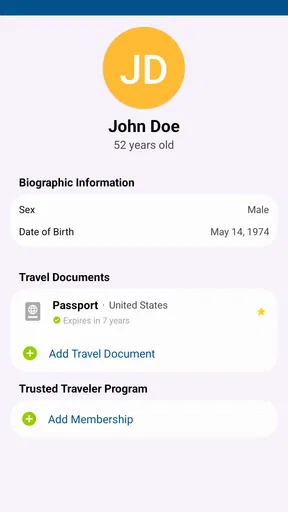
First things first, downloading the app is a breeze. It's available for both Android and iOS, and it's free! Once it’s on your phone, setting it up is straightforward. You’ll need to input some basic information like your name, passport details, and trip details. This might sound tedious, but it’s super user-friendly. The app guides you through each step, and in no time, you’re ready to go.
I really appreciated how the app uses biometric technology to make things quicker. You can upload your passport photo, and it uses facial recognition to verify your identity. It’s like having a personal customs officer in your pocket! Plus, your data is encrypted, so it feels secure, which is always a big plus in this digital age.
Using the App at the Airport
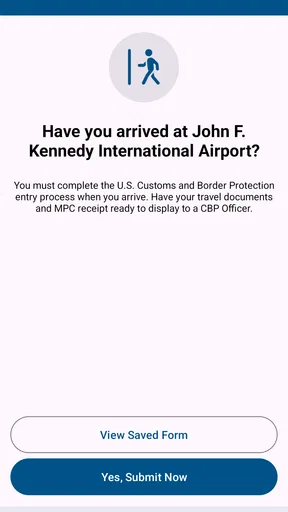
The true test of Mobile Passport Control is how it performs at the airport. When I arrived, I was greeted by the usual sea of travelers. But armed with the app, I headed straight to the designated Mobile Passport Control lane. It felt like having a fast pass at a theme park.
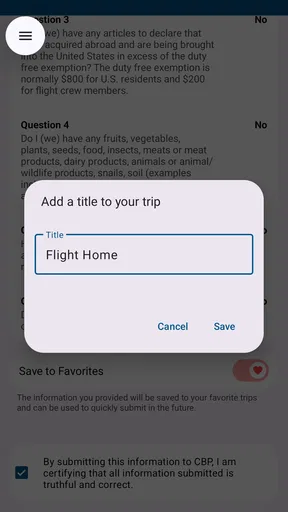
Once in line, I opened the app, reviewed my trip details, and submitted them to the U.S. Customs and Border Protection (CBP) through the app. Within seconds, I received a digital receipt. This is your golden ticket to skip the regular lines. I showed it to the customs officer, and that was it. I was through in no time!
It’s worth mentioning that this app is not a replacement for your physical passport, but it certainly complements it. And while it’s currently available at a limited number of airports, it’s expanding. So, keep an eye out if it’s available at your destination next time you travel.
What Makes Mobile Passport Control Stand Out?
Now, you might be wondering, "Is this just another travel app?" Honestly, I was skeptical at first, but Mobile Passport Control has some unique features that make it stand out. For frequent travelers, it’s a game-changer. The app is not only convenient but also incredibly efficient. No more juggling between your passport, customs forms, and boarding passes. Everything you need is in one place.
Worth Reading Before You Choose

EA SPORTS FC Mobile 26 Is a Bigger Football Game, but It Takes Time

Flipboard Shows What News Apps Must Do Beyond the Feed

Switching to Android Auto Means Rethinking Your Driving Routine

Google Calendar Makes a Crowded Week Easier to Manage

Ludo King Makes the Most of the Minutes Between Plans

Baby Panda World Brings Quick Play to Modern Phones, but Its Game Library Feels Busy
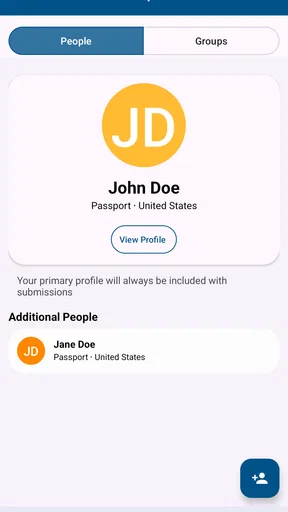
Another standout feature is the app’s ability to handle multiple profiles. If you’re traveling with family, you can add them to your account, making it easier to manage everyone’s details in one go. This feature is a lifesaver for busy parents juggling kids and luggage.
Final Thoughts
In conclusion, Mobile Passport Control is a must-have for any traveler looking to streamline their airport experience. It’s efficient, user-friendly, and, best of all, it’s free. While it’s not available at every airport yet, its growing presence means that more travelers can enjoy its benefits.
If you’re planning a trip and want to avoid the hassle of long customs lines, I highly recommend giving Mobile Passport Control a try. It’s one of those apps that once you use it, you’ll wonder how you ever traveled without it. So, next time you're heading abroad, don’t forget to pack your passport and load up this handy app. You’ll thank me later!
Pros
- Streamlines airport security process.
- User-friendly interface for easy navigation.
- Supports multiple family members in one account.
- Quickly updates with latest airport info.
- Reduces waiting times significantly.
Cons
- Limited to participating airports only.
- Requires stable internet connection.
- Sensitive to device compatibility issues.
- Occasional app crashes reported.
- Privacy concerns with personal data storage.
FAQs for Mobile Passport Control
What is Mobile Passport Control and how does it work?
Mobile Passport Control is an app designed to expedite your entry into the United States. It allows U.S. citizens and Canadian visitors to submit their passport information and customs declaration using a mobile device. By doing so, users can bypass traditional paper forms and head straight to a designated Mobile Passport Control line, saving time during the customs process.
Is Mobile Passport Control secure for storing my information?
Yes, Mobile Passport Control prioritizes user security. The app uses encryption to protect your personal information, and data is only transmitted to Customs and Border Protection (CBP) when you submit your information. It does not store your passport details on the device after submission, ensuring your data remains secure.
Can I use Mobile Passport Control at any U.S. airport?
Mobile Passport Control is available at select airports and cruise ports across the United States. While it continues to expand, it's important to check if your arrival location supports the service. You can find updated lists of participating locations within the app or on the official website before your travel.
Do I need an internet connection to use Mobile Passport Control?
Yes, an internet connection is necessary to submit your information to the CBP. However, you can fill out your passport details and declaration offline and save it. Once you have an internet connection, you can then submit the information to complete the process.
Is there a fee for using Mobile Passport Control?
No, Mobile Passport Control is free to download and use. Unlike some other expedited entry programs, there are no subscription fees or charges. This makes it an attractive option for travelers looking to save time without incurring additional costs.


